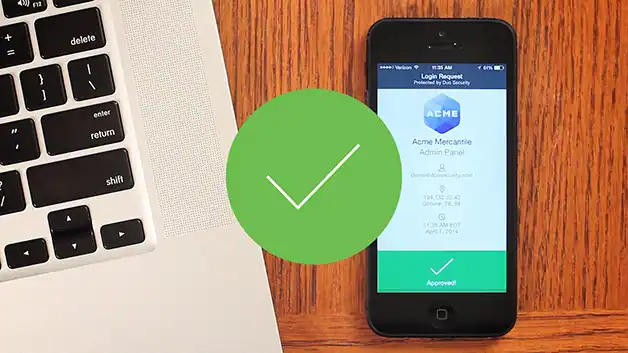
Two-factor authentication, or 2FA, is the simplest, most effective way to make sure users really are who they say they are. It strengthens security by requiring an additional layer of authentication in addition to a username and password. Common examples of 2FA include smartphone apps, which require the user to respond to a verification method such as a push notification before they’re able to log in. Two-factor authentication helps protect users against bad actors who may be trying to steal login credentials.
Why use two-factor authentication (2FA)?
As the number of security breaches continues to rise, 2FA has become an essential web security tool because it mitigates the risk associated with compromised login credentials. If a password is hacked, guessed, or even phished, 2FA prevents an attacker from gaining access without approval by a second factor.
How does 2FA work?
Processes vary among the different 2FA methods, but a typical 2FA transaction happens like this:
- The user logs in to the website or service with their username and password.
- The password is validated by an authentication server and, if correct, the user becomes eligible for the second factor.
- The authentication server sends a unique code to the user’s second-factor method (such as a smartphone app).
- The user confirms their identity by providing the additional authentication for their second-factor method.
Types of 2FA methods
Authenticator apps
Authenticator apps such as Duo support 2FA by acting as the second layer of security whenever a user tries to log in. To log in, the user must compete a separate verification step, such as a phone call, an SMS, a one-time passcode, a push notification, biometrics, or something else.
U2F security tokens
Universal 2nd Factor (U2F) is an authentication standard that uses an authenticator (a USB hardware device) and a server. A user authenticates by tapping the U2F key inserted into their computer’s USB port.
Hardware tokens
Using a hardware token, you can press a button to verify who you are. This device is programmed to generate a passcode that you must type into your two-factor prompt.
Learn more about security tokens
SMS passcodes
A unique passcode is sent to your phone via SMS that you must type into your two-factor prompt.
Mobile passcodes
Similar to SMS, a two-factor authentication app can generate new, unique passcodes for you to type into the two-factor prompt. These are known as a time-based, one-time passcode (TOTP).
Learn more about mobile passcodes
Biometrics
WebAuthn allows you to use the TouchID fingerprint reader on MacOS laptops as a second factor to authenticate access to your accounts.