• About
  • Advertise
  • Careers
Thursday, May 21, 2026
  • Login
No Result
View All Result
NEWSLETTER
Bizmart Africa
  • Home
    • Home – Layout 1
    • Home – Layout 2
    • Home – Layout 3
    • Home – Layout 4
    • Home – Layout 5
  • World
  • Politics
  • Business
  • Science
  • Tech

    Trending Tags

    • Sillicon Valley
    • Climate Change
    • Election Results
    • Flat Earth
    • Golden Globes
    • MotoGP 2017
    • Mr. Robot
  • Entertainment
  • Lifestyle

    Trending Tags

    • Golden Globes
    • Mr. Robot
    • MotoGP 2017
    • Climate Change
    • Flat Earth
  • Home
    • Home – Layout 1
    • Home – Layout 2
    • Home – Layout 3
    • Home – Layout 4
    • Home – Layout 5
  • World
  • Politics
  • Business
  • Science
  • Tech

    Trending Tags

    • Sillicon Valley
    • Climate Change
    • Election Results
    • Flat Earth
    • Golden Globes
    • MotoGP 2017
    • Mr. Robot
  • Entertainment
  • Lifestyle

    Trending Tags

    • Golden Globes
    • Mr. Robot
    • MotoGP 2017
    • Climate Change
    • Flat Earth
No Result
View All Result
Bizmart Africa
No Result
View All Result
Home How to

How To add multiple Instagram accounts

by Nyongesa Sande
3 years ago
in How to
Reading Time: 3 mins read
A A
How To add multiple Instagram accounts
Share on FacebookShare on Twitter

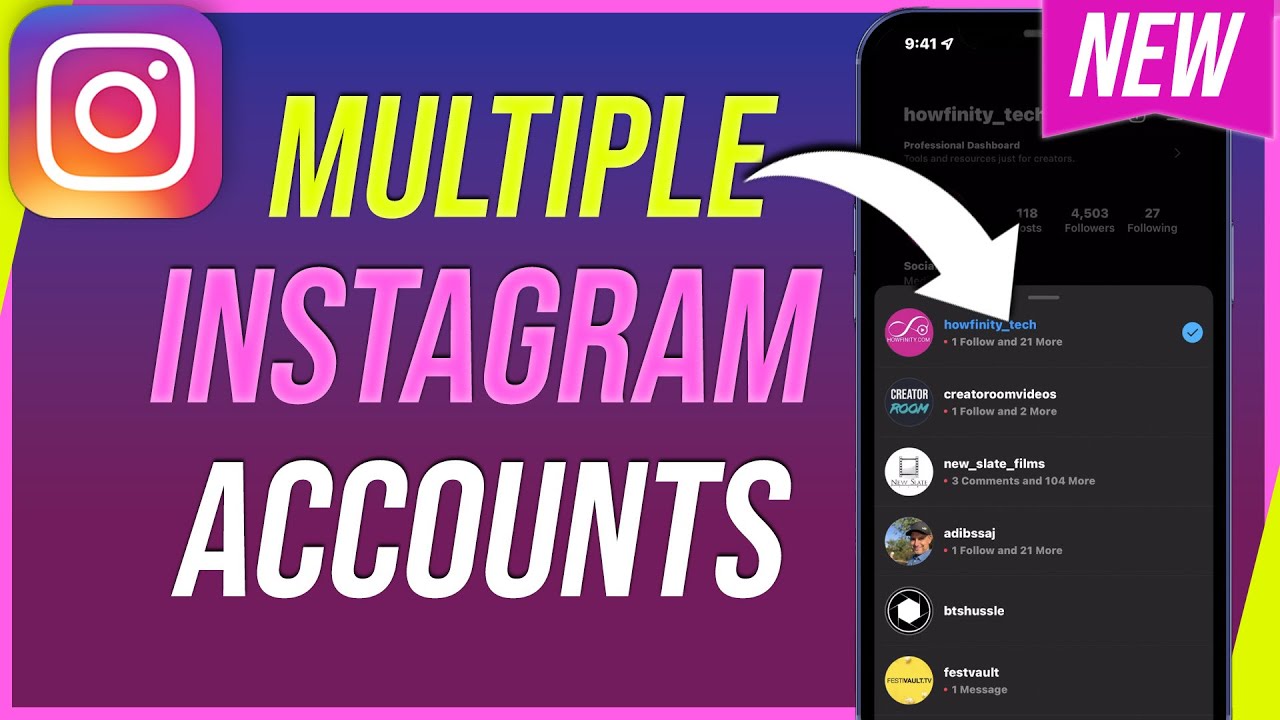
When you add Multiple Instagram Accounts, you can switch between them without having to log out and log back in. Let us look at How To add multiple Instagram accounts.

To add multiple Instagram accounts in Instagram Android and iOS apps

  • Tap  or your profile picture in the bottom right to go to your profile.
  • Tap  in the top right, then tap Settings.
  • Scroll to the bottom and tap Add Account.
  • Tap Log Into Existing Account.
  • Enter the username and password of the account you’d like to add.
  • Tap Log In.
  • How To switch between accounts you’ve added 
  • Tap  or your profile picture in the bottom right to go to your profile.
  • Tap your username at the top of the screen.
  • Tap the account you’d like to switch to.
  • Keep in mind that you can add up to 5 accounts.
  • You can only be logged into a single Instagram account at a time, but your device can store login information for multiple Instagram accounts. You can add or remove login information from your Instagram app settings.
  • To add or remove Instagram login information on your iPhone or Android device:
  • Tap  or your profile picture in the bottom right to go to your profile.
  • Tap  in the top right, then tap Settings.
  • Scroll down to Logins.
  • Tap Add account to add login information for a new Instagram account or Log out [username] to remove login information for the Instagram account you’re currently logged into.
  • Note: Removing login information only removes the account from your iPhone or Android device and will not temporarily deactivate or permanently delete the Instagram account. 

Follow us on Twitter. Send us a secure tip

Post Views: 85
Tags: Multiple Instagram Accounts
Nyongesa Sande

Nyongesa Sande

Nyongesa Sande is a seasoned writer, editor, and digital publisher passionate about delivering high-quality, SEO-optimized content across diverse fields including politics, technology, culture, business, and sports. As the founder and driving force behind NyongesaSande.com, he has built a trusted platform that blends in-depth reporting with accessible storytelling, making complex issues understandable to a broad audience. With a strong background in East African and global affairs, Sande is dedicated to providing readers with accurate, engaging, and impactful insights that both inform and inspire.

Next Post
Here is How to create an Instagram account

Here is How to create an Instagram account

How to delete an Instagram account

How to delete an Instagram account

  • About
  • Advertise
  • Careers

© 2026 Bizmart Africa

Welcome Back!

Login to your account below

Forgotten Password?

Retrieve your password

Please enter your username or email address to reset your password.

Log In
No Result
View All Result
  • Home
  • Politics
  • World
  • Business
  • Science
  • National
  • Entertainment
  • Gaming
  • Movie
  • Music
  • Sports
  • Fashion
  • Lifestyle
  • Travel
  • Tech
  • Health
  • Food

© 2026 Bizmart Africa